
Wonder how some businesses, with no marketing activities or expensive ads, still get regular leads? That’s because they hire professional GMB services.
What if I tell you that with just a Google Business listing, you too can get leads organically? No need to spend on paid ads.
In this blog, we will learn how to create a GMB listing, how to get leads, how to optimize a GMB listing, and unveil all the secret hacks.
10 GMB Secrets Most Google My Business Management Services Hide
1. How to Create a GMB Listing
If you don’t know how to create a GMB listing, this is a mini guide for you. First, understand that Google has become stricter, so avoid shortcuts. If you want faster approval in one go and no back-and-forth rejection cycles, click on “Verify Now” and film a clear video of your entire office.
Start from your company board, where the name, logo, and GST number (if applicable) are clearly visible. Then enter the office and capture your team working. Show the interiors properly so Google can verify that it is a real operational space.
If you run a cloud kitchen, restaurant, or jewellery shop, also show your work process. Record the kitchen setup, dining area, product displays, or packaging process to prove your business is genuine and active.
Google reviews your video manually or automatically. This can take a few hours to a few days. Do not edit your business details during this time. Keep checking your registered email and Google Business dashboard. If Google needs more proof, they will notify you there.
Example: A boutique named “Panache” creates a listing and uploads a random two-second clip of a mannequin. Google flags it, and the listing stays pending. Next time, they record a 30–60 second clear walkthrough showing “Panache” on the shop board, the store entrance, the billing counter, staff arranging clothes, and the store interiors. The listing gets verified smoothly, and they can start appearing for local searches.
2. Surface-Level Information Will Kill Your GMB Ranking
Most people treat their Google Business Profile like a form. They fill in name, number, address… and done. That is surface-level information. And surface-level information gives surface-level results.
If you are using gmb services, they don’t stop at basics. They fill every single section Google allows. Business description, services, products, service areas, opening date, attributes, FAQs, appointment links, everything. The more data you give Google, the better it understands your business.

Don’t leave blanks. If there is a field, fill it. Add a secondary phone number if you have one. Add booking link. Add service areas properly. Add categories carefully. Add business attributes like “women-led”, “wheelchair accessible”, “online appointments”, whatever is relevant to you.
Google rewards completeness. A fully filled profile looks trustworthy. It gives Google confidence to rank you higher in local searches.
Imagine two businesses in Kothrud. One has just a name and a number. The other has a full description, 15 services listed, proper categories, updated hours, FAQs, and a booking link. Who do you think Google will show first? Exactly.
3. Do Keyword Research Before You Write Anything on Your GMB Listing
Most people write their Google Business description emotionally. “We are passionate.” “We provide the best service.” “Customer satisfaction is our priority.” Google does not rank passion. Google ranks keywords.
Before you write a single line, do keyword research. Search your own service on Google. See what auto-suggestions show. Check what your competitors are using in their titles and descriptions. If you are a salon in Pune, people are not searching for “premium beauty transformation studio.” They are searching for “hair salon in Pune” or “bridal makeup artist in Kothrud.”
Use those exact phrases naturally in your business description, services, and posts. This is how you optimize your GMB listing properly, not by sounding fancy, but by sounding searchable.
For example, instead of writing:
“We are Panache, a luxury boutique offering curated fashion.”
Write:
“Panache is a fashion boutique in Kothrud, Pune, offering designer sarees, bridal lehengas, and custom stitching.”
Now Google clearly understands what you do and where you are. That’s how you start getting organic leads.
4. Keep Updating Your Services and Products
Many businesses create their Google Business listing once and forget it. That is a mistake. Your services and products section is not decoration. It directly affects how you appear in search results.
If you add detailed services with proper names, descriptions, and prices (if possible), Google understands your offerings better. Instead of just writing “Marketing Services,” break it down into “SEO Services in Pune,” “Social Media Marketing,” “Google Ads Management,” etc. Be specific.
Same with products. If you are a boutique, list categories like “Bridal Lehengas,” “Silk Sarees,” and “Indo-Western Dresses.” If you are a salon, add “Hair Spa,” “Keratin Treatment,” “Bridal Makeup.” Each service becomes a searchable entry.
Also, update regularly. Remove outdated services. Add new ones. If you launch something new, update it immediately. An active listing signals that your business is alive and operational.
Imagine someone searching “Keratin treatment in Kothrud.” If that exact service is listed in your GMB profile, your chances of appearing are much higher. Specific beats generic. Always.
5. Asking for Reviews Is Not Desperate. It Is Smart.
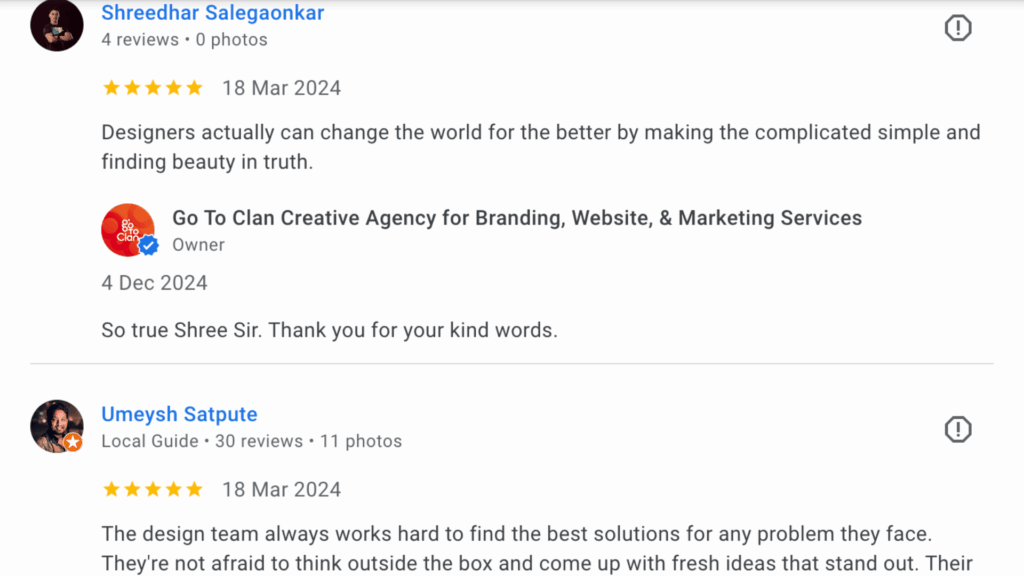
Many business owners feel awkward asking for reviews. They think it looks needy. But reviews are the backbone of strong GMB services performance. More genuine reviews mean more trust. More trust means more clicks and calls.
Don’t wait for customers to leave reviews on their own. Most happy customers will forget unless you remind them. Make it part of your process. After delivery, after service completion, after a successful project, send a simple message with your review link.
Keep your message polite and non-pushy. Something like:
“Hi, if you liked our service, it would really help us if you could leave a short Google review. Here’s the link.”
That’s it. No emotional drama. No begging.
Also, guide them subtly. Ask them to mention the service they took. For example, “bridal makeup in Pune” or “SEO services in Kothrud.” This helps your keyword relevance naturally.
Imagine two salons. One has 7 reviews. The other has 128 reviews with detailed comments mentioning services. Even if both are good, which one will you call? Exactly. Reviews build credibility and improve ranking at the same time.
6. Add Real Photos. Not Random Stock Images.
A strong Google My Business management service will always focus heavily on photos. Why? Because photos increase profile clicks, direction requests, and calls. People trust what they can see.
Upload real photos of your office, team, workspace, products, and ongoing work. Show your reception area. Show your staff working. Show client interactions if possible. If you are a restaurant, show food, kitchen hygiene, and seating area. If you are a jewellery shop, show display counters and close-ups of real products.
Avoid stock images. Google can detect them. And even if it doesn’t, customers can. Stock images reduce trust. Real photos build authority.
Also, upload regularly. Not once. Add new photos every few weeks. This shows Google that your business is active.
Imagine searching for “fashion boutique in Kothrud.” One listing has 3 blurry photos. Another has 40 clear photos of collections, trial rooms, staff, and happy customers. Which one feels more real? That’s how decisions are made.
If you want to learn the 4 most important hacks that most businesses miss, download the complete PDF here. In that guide, I break down how to get more calls from your Google listing, how to write a powerful business title that improves visibility, and most importantly, how to get more clicks even if you have low reviews. If you are serious about generating leads without spending on ads, this PDF will change how you look at your GMB strategy.
Contact Form
"*" indicates required fields
Frequently Asked Questions
How many times should I post photos on my Google My Business profile?
It depends on your business. If it’s a restaurant, you can add 1–2 photos every week. Food businesses need regular updates because customers want to see fresh dishes and ambience.
If it’s a manufacturing unit, you can post occasionally. Share product dispatch images, new machinery, team photos, or festival celebrations. The key is consistency, not daily posting.
Is it important to add keywords in the GMB description?
Yes, absolutely. It helps Google bots understand what you are trying to sell. Keywords tell Google your services, category, and location relevance.
Even keywords in reviews help a lot. For example, if someone writes, “I loved their prawn fry. This is the best seafood restaurant in Andheri,” the location-based keyword “best seafood restaurant in Andheri” strengthens your GMB optimization.
Can I add multiple phone numbers to my Google My Business listing?
Yes, you can add multiple numbers. However, Google displays only the primary one. So make sure you add your most active and important phone number as the primary business contact.
Final Words
Most businesses think they need ads to generate leads. In reality, they just need to use their Google Business Profile properly.
If you understand how to create a GMB listing the right way, fill every detail, use proper keywords, collect reviews, add real photos, and stay active, you can generate consistent organic leads without burning money on paid campaigns.
This is exactly what professional GMB services do behind the scenes. The difference is, now you know the secrets.
Implement these steps seriously. Stay consistent. And let Google work for you.
At Go To Clan, we don’t just manage listings. We build local visibility systems that generate real calls, real enquiries, and real growth through our Google My Business management services. If you want your Google listing to become a lead machine, let’s build it properly.